
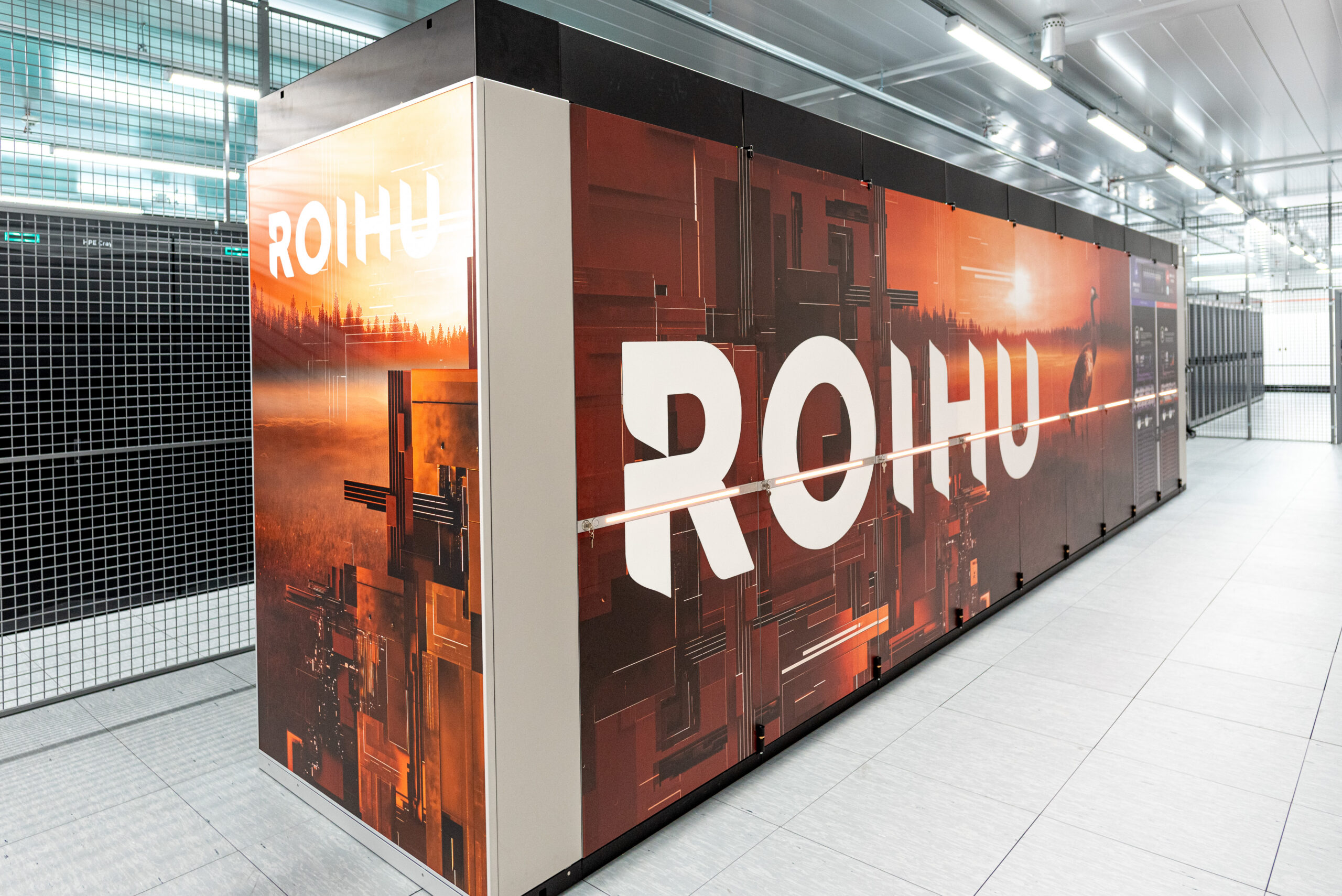
CSC’s new national supercomputer Roihu has been opened for general use, significantly increasing the national scientific computing capacity available in Finland. This brings numerous changes: for example, the copy of the open newspapers and journals dataset from the National Library of Finland has been moved to Roihu, and the adoption of the next-generation system means that the previous-generation machines Puhti and Mahti will be decommissioned. This decommissioning means that researchers must move their active research and data away from them, e.g. to Roihu.
Roihu
Moving from Puhti and Mahti to Roihu triples the national supercomputing capacity, and it is well suited for tasks such as training small to medium-sized AI models. Further, the scratch disk performance is estimated to be an order of magnitude higher than on Puhti, which is a huge benefit when it comes to I/O-heavy computations and data preparation. Roihu’s GPU partition ranked 91st and CPU partition 193rd on June 2026 TOP500 list comparing supercomputers around the world. For general information about Roihu, see csc.fi. Technical documentation and more detailed information about its compute nodes can be found in docs.csc.fi.
Puhti and Mahti Decommissioning
The previous generation national HPC environments, Puhti and Mahti, will be decommissioned. The Puhti computing services are scheduled be shut down on July 31st, and Mahti computing services on August 31st. Login nodes and storage of both machines will shut down on October 15th, but their accessibility cannot be guaranteed beyond the end of August due to service contracts running out. Thus the safest option is to ensure that all important data is copied elsewhere already before September.
Getting Roihu Access
Accessing Roihu is in principle similar to accessing Puhti and Mahti, after doing the initial setup steps. First of all, Roihu can only be accessed by users who have at least one project that uses Roihu. Project managers can add services to their projects in MyCSC. Each member using the service must also log into MyCSC and approve terms of use for the service before it becomes available for them.
Due to security reasons, connecting to Roihu via SSH or SFTP requires an SSH certificate that is valid for 24 hours. There are two ways of obtaining one: either downloading it from MyCSC or using the command-line certificate helper tool. Once the initial setup has been done, the certificate helper tool is a lot less cumbersome than manually downloading files, making it the preferable long-term solution for people who frequently access Roihu.
Roihu web interface can be accessed without generating certificates, but you must have multi-factor authentication enabled to log in.
Migrating Your Workflows
In terms of compute, the most notable difference between the old systems and Roihu is the CPU architecture used on GPU nodes: whereas all CPUs on Puhti and Mahti used x86 architecture, the GPU computation and login nodes have ARM CPUs. The CPU partition and its login nodes have x86 CPUs as before. This means that software must be built separately for the two environments if you use them both. This is described in Roihu FAQ, and more details can be found in Roihu hardware description.
If you are running I/O-intensive computations and have been using the fast local storage on compute nodes, its reservation changes somewhat. Previously temporary storage could be requested relatively freely for all types of jobs. On Roihu, jobs running on shared nodes can only obtain the standard quota of 20 GiB: requesting disaggregated NVMe storage is only available for jobs reserving full nodes. Fortunately the shared node support will be added in Q3/2026. See Roihu disk areas for more information.
Docs.csc.fi offers both instructions for creating batch job scripts and some example scripts to help you get started with your computations.
Migrating Your Data Away from Puhti and Mahti
The most important step of migrating your data is knowing your data: what is stored and where? What is still needed and what can be safely deleted? What can be regenerated or is otherwise of temporary nature? Are there scripts, configuration files or secrets that must be salvaged? What is still used in computations, and what should be archived as inactive data?
One notable change regarding datasets is the introduction of dataset projects. They allow keeping the datasets longer than is possible on scratch disk (dataset projects are granted for one year at a time, and it is possible to apply for an extension) and sharing it with individual collaborators, other projects, everyone from your organization or publicly for all CSC users.
After figuring out what needs to be salvaged and identifying a suitable destination, the data can be moved using any of the standard methods. Due to Allas being near its capacity, it is recommended to move the data directly between systems instead of transferring it to Allas first. There’s also a specific Roihu data migration guide for those moving their data to Roihu.
Support
If you run into any problems or have questions about Roihu or other CSC systems, the usual support channels are available. CSC support is available throughout the summer via email or phone. To maximize the likelihood of getting your issue resolved quickly and with few rounds of emailing, see tips for writing good support requests. The weekly research support coffees also offer an easy way to ask questions in person and e.g. share your screen if necessary. Roihu has been a popular topic in questions and short talks there lately.
Text: Anni Järvenpää